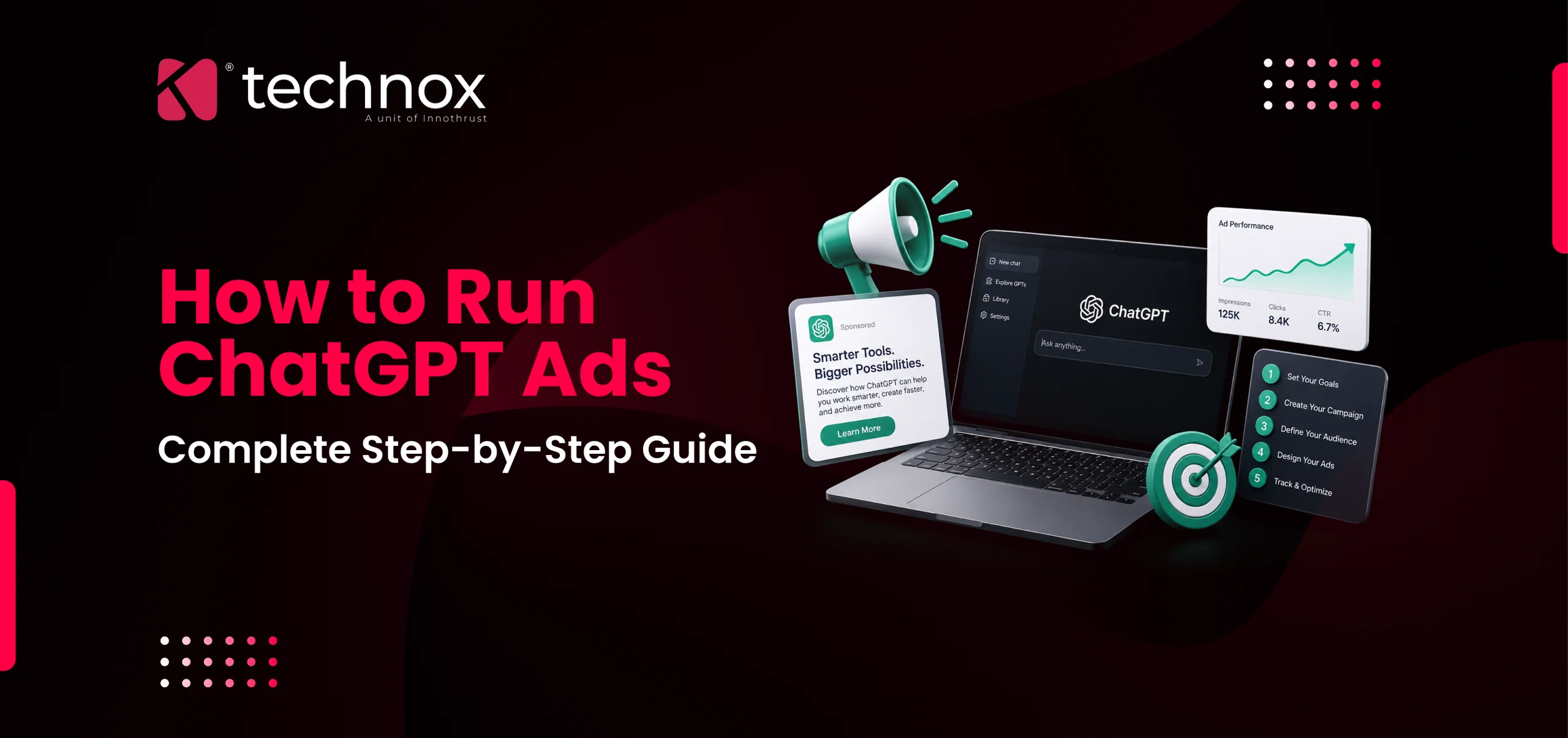
ChatGPT is no longer just a place people go to ask questions. It is now a place businesses can pay to be found in. OpenAI began showing ads to Free and ChatGPT Go tier users in the US on February 9, 2026, then opened a self-serve Ads Manager to all US businesses on May 5, 2026, after briefly lowering the pilot's minimum spend from 200,000 dollars to 50,000 dollars in April. Within roughly six months, ChatGPT Ads crossed 1 billion dollars in annualized revenue run rate and expanded to more than 40 countries, including India.
That speed of growth means most businesses evaluating this channel are working from outdated blog posts, half-finished pilot documentation, or a straight copy-paste of their Google Ads playbook. None of those approaches hold up well here. This guide walks through what ChatGPT Ads actually are, how the platform works, and exactly how to set up, target, and optimize a campaign, using OpenAI's own documentation and real setup data from early advertisers.
What ChatGPT Ads Are
ChatGPT Ads are sponsored placements that appear beneath an AI-generated answer inside ChatGPT, visible to logged-in adult users on the Free and ChatGPT Go tiers. They are clearly labeled "Sponsored" and visually separated from the organic response itself, and only one ad appears per conversation.
Ads Manager is still a beta product, though it is fully self-serve, has no minimum spend, and is live in more than 40 countries. Features, eligible categories, and available markets are still being added on a rolling basis, so it is worth treating as a maturing platform rather than a finished one.
Paid ChatGPT subscribers on Plus, Pro, Business, Enterprise, and Education tiers do not see ads at all, and OpenAI also excludes accounts identified as belonging to users under 18. That exclusion has held constant since the earliest pilot and is one of the few fixed points in an otherwise fast-changing rollout.
How ChatGPT Ads Work
The system reads the current conversation for commercial intent and matches it against the ad's landing page, title, copy, and advertiser-provided context hints, natural-language descriptions of the situations an ad is relevant to, rather than exact keyword matches.
Past conversations only enter targeting if a user has personalization turned on. When enabled, past chats and saved memory add a secondary relevance layer on top of the current conversation. When turned off, targeting relies solely on the current session.
How to Run ChatGPT Ads Step by Step
Step 1: Create Your Ads Manager Account
Go to ads.openai.com and register your business. You will need your legal company name exactly as it appears on your website, a website URL, an industry category, and a square logo of at least 256 by 256 pixels.
Registration covers three parts: business details, account details (country, currency, timezone), and identity verification through a third-party provider. Verification can clear the same day or take longer depending on industry, so it is worth starting early.
Agencies can manage ChatGPT Ads on behalf of a client, but the account must be created under the client's own business identity, not the agency's. The agency is added afterward as a user with role-based permissions. There is currently no agency-level account structure the way Google and Meta have built.
Step 2: Set Up Billing and Payment
Add a payment method (major cards are supported) and a billing address. Optionally set a monthly spend cap as a safety net; it pauses all campaigns automatically once reached.
There is no minimum budget required. Self-serve access removed the original 200,000 dollar pilot commitment entirely as of May 5, 2026. OpenAI recommends a starting CPC bid of 3 to 5 dollars, and daily budgets can go well below that in newly opened markets such as India.
Step 3: Create Your Campaign
Give the campaign a clear, descriptive name (a format like Brand-Objective-Audience-Date works well) and set your schedule and country targeting. Targeting currently stops at the country level; there is no city or regional layer yet.
Step 4: Choose the Right Campaign Objective
You'll choose between Reach (billed on CPM, best for awareness), Clicks (billed on CPC, best for traffic and lead generation), and Conversions (optimized CPC against a defined action, once a measurement pixel is connected).
Campaign objective is locked once launched, one of the few permanently fixed decisions in the setup flow. A different objective later means creating a new campaign rather than editing the existing one.
Step 5: Create Ad Groups and Set Context Hints
Context hints are free-text descriptions that tell the system which conversations your ad belongs to. OpenAI describes them as hints, not exact-match keywords, and they do not guarantee delivery in any specific conversation. This is still the single most important input in the entire campaign.
Keyword-list hints don't work well. A hint written as "CRM, best CRM, CRM software" gets interpreted as a literal sentence, which produces poor matches. The strongest hints follow a four-part structure: who is having the conversation, what they're trying to accomplish, what narrows the match, and what should be excluded. For example, "A founder or team lead at a company under 20 people comparing CRM tools that integrate with Slack and offer a free tier. Not enterprise procurement" consistently outperforms a keyword-style equivalent.
Most well-performing ad groups use somewhere between 5 and 15 hints, each covering a distinct angle on the same theme rather than repeating one idea in different words.
Step 6: Create Your Ads
The ad unit is a single card with six fields: advertiser name, favicon, title, copy, landing page, and one image. There is no second headline, no carousel, and no video in self-serve. The table below summarizes the working creative limits.
A note on the character limits: many older guides still publish looser figures such as 30/60 or 50/100 characters, left over from the pilot phase. Writing to those looser limits risks a rejection at review, so it's safer to write tight, then confirm the exact figures against the live Ads Manager before publishing.
A single ad per group gives no way to isolate whether underperformance is a targeting problem or a creative problem, which is why the 3 to 5 variation minimum matters.
Step 7: Submit for Review
Most ads clear review within a few hours; ads in regulated categories like finance or healthcare can take longer.
The most common causes of rejection are a mismatch between the account's legal business name and the website, a landing page that blocks OpenAI's crawlers (OAI-AdsBot and, ideally, OAI-SearchBot), or copy that trips OpenAI's advertising policy around misleading claims. The status field inside Ads Manager names the specific reason on hover.
Step 8: Launch and Monitor Performance
Once approved, status moves from "In Review" to "Active" and the dashboard begins reporting impressions, clicks, spend, CTR, average CPC, average CPM, and conversions in real time. CTR benchmarks break down as follows:
Step 9: Optimize Based on Early Data
When to pause, adjust, or scale a campaign
Pause an ad group once it has spent more than twice your target cost per acquisition with zero conversions, or once CTR sits below 0.1 percent after 10,000-plus impressions.
Adjust, rather than pause, when CTR sits in the 0.2 to 0.5 percent range. Change the fastest-to-test elements first: title and copy before the image, and the context hint last.
Scale only once an ad group holds 0.5 percent CTR or better with positive return for at least seven consecutive days, and increase budget in 20 to 30 percent steps rather than doubling, since large jumps can destabilize the platform's own optimization.
How Targeting Works in ChatGPT Ads
Targeting stops at the country level, so comparing performance across regions currently means running separate campaigns rather than targeting a specific city or region directly.
Negative context hints are supported, capped at 25 per campaign, useful for excluding conversations that are technically related but commercially irrelevant.
Product Feed and Catalog Targeting for E-commerce
Businesses selling physical products can skip individual ad creation and run a product-feed campaign instead, reusing the same catalog fields (title, price, availability, image, product URL) already maintained for Google Shopping or Meta catalog ads, mapped into OpenAI's own feed schema. Product titles and images pull directly from the feed, so it's worth checking generated previews before submission.
Who You Can Target with ChatGPT Ads
Ads are shown only to logged-in adults on the Free and ChatGPT Go tiers. Plus, Pro, Business, Enterprise, and Education subscribers, and any account identified as belonging to a user under 18, are excluded entirely.
Custom audience lists can be uploaded to include or exclude specific groups, though they currently require a minimum of roughly 25,000 matched users, which puts this option out of reach for most small and mid-size advertisers at launch.
Certain business categories also cannot advertise at all right now, including alcohol, gambling, weapons, adult content, and parts of financial services and healthcare that require additional documentation. OpenAI has also said sensitive conversation topics, such as mental health or politics, are excluded from ad placement entirely, regardless of category.
How to Create ChatGPT Ads
Creative can't be reused directly from other platforms. Google gives 30 characters across up to 15 rotating headlines; Meta allows a 125-character primary text block on top of longer supporting copy. ChatGPT's card gives a title of roughly 16 to 24 characters and copy of roughly 32 to 48 characters, with nothing else to lean on. Copy written to depend on that extra space reads as fragmented here.
The landing page must be accessible to OpenAI's crawlers and not blocked in robots.txt. A technically inaccessible page can quietly suppress ad delivery with no clear error message in the dashboard, since aggressive bot management tools such as Cloudflare or Akamai can block the crawler at the edge before it ever reaches the page.
The advertisers seeing the best early results write for the format the ad actually sits in: directly beneath an AI-generated answer, not in a scrolling feed. A specific, concrete claim ("Cut reporting from three days to three hours") consistently outperforms a generic slogan in that context.
How Much ChatGPT Ads Cost
Pricing runs through a relevance-weighted, second-price auction, so a stronger, more relevant ad can win placement at a lower bid than a generic one. OpenAI's own guidance recommends starting CPC bids of 3 to 5 dollars, with CPM typically running in the 25 to 60 dollar range depending on category.
Direct cost comparisons are still noisy this early in the platform's life, since fewer advertisers are bidding on ChatGPT than on Google, which naturally keeps prices lower for now. That gap is expected to close as more advertisers move budget into the channel. Minimum daily budgets are as low as 25 dollars in the US and, following India's rollout in late August 2026, as low as 725 rupees there.
How to Measure ChatGPT Ads Performance
The OpenAI Pixel is a lightweight JavaScript tag placed on your website to track post-click events like purchases, form submissions, and signups. It is not mandatory. Campaigns run fine without it, but you'll only see impressions, click, and spend data, not what happened after the click. A server-side Conversions API is also available for advertisers who prefer not to rely on browser-based tracking.
Tracking conversions requires installing the pixel or configuring the Conversions API before launch, and appending UTM parameters to every landing page URL (utm_source=chatgpt, utm_medium=cpc or cpm, utm_campaign=your-campaign-name) so traffic is attributable independently of OpenAI's own reporting.
ChatGPT Ads works with Google Analytics through UTM-tagged URLs, though there is no native GA4 integration, so consistent UTM structure across every ad is what makes cross-platform comparison possible.
Seeing which conversations triggered a given ad isn't currently possible. This is a black box: you get aggregate performance metrics, not the underlying conversation content, which is exactly why independent UTM tracking matters so much here.
ChatGPT Ads in India: What's Different Right Now
Ads began appearing to eligible Free and Go tier users in India on August 27 to 29, 2026, launching with roughly 50 brands and agency partners WPP and Omnicom. OpenAI has said it expects about one in every five ChatGPT queries in India to show an ad, while roughly 80 percent of queries with no commercial intent will show none at all, even on the free tier.
Self-serve access through Ads Manager for Indian advertisers opened on September 4, 2026, with campaigns starting from a minimum daily budget of 725 rupees, about 8 dollars. Before that date, Indian businesses could only buy ChatGPT ads through OpenAI's sales team or an agency partner, so it is worth confirming current self-serve availability on OpenAI's Ads Manager page before assuming a new account can launch immediately.
The same category restrictions apply globally: consumer goods, lifestyle and household products, local services, travel, digital products, and education are among the current approved categories for Indian businesses, with regulated sectors like finance and healthcare requiring additional review. Given how recently India opened, expect eligible categories and self-serve depth to keep expanding over the next few months.
Global Rollout Timeline: Where ChatGPT Ads Are Live
ChatGPT Ads has moved fast enough that a country list from even six weeks ago is already out of date. Here's the dated sequence, drawn from OpenAI's own posts and confirmed press coverage:
Two things stand out in that table.
First, "ads are live" and "self-serve buying is live" are two different milestones in every new market. India is the clearest recent example - ads started showing to Indian users nearly a week before Indian businesses could open their own Ads Manager account and run a self-service campaign.
Second, OpenAI's own count puts the platform at "more than 40 countries" as of the August 31 announcement. Some third-party ad-industry trackers cite higher, more granular figures as additional markets activate, but OpenAI's official language is the number worth quoting until they update it.
Mistakes to Avoid When Running ChatGPT Ads
The most common reasons an ad fails to serve:
A bid set below the recommended floor, often below roughly 3 dollars per click
An unverified or incomplete billing setup
A landing page blocked to OpenAI's crawlers, whether through robots.txt, a WAF, or aggressive bot protection
The status field inside Ads Manager names the specific reason on hover, so check there before adjusting the bid.
Reusing the same ad copy across multiple ad groups is possible, but it defeats the purpose of ad group segmentation. Each ad group should represent a distinct buyer situation with copy written to that situation specifically; reusing one generic ad across groups makes it impossible to tell which targeting is actually working.
Other recurring mistakes worth naming directly: writing context hints as keyword lists instead of natural-language descriptions, skipping UTM setup before launch and trying to reconstruct attribution afterward, and judging a campaign's performance in the first few days before it has cleared a meaningful learning period.
Conclusion
ChatGPT Ads vs. AI Search Optimization: Run One or Both?
Paid placement and organic AI visibility solve different problems. ChatGPT Ads earn a labeled placement beneath an answer. AI Search Optimization work, sometimes called Generative Engine Optimization, earns your brand an actual mention inside the answer itself, the kind of structured, entity-clear content covered under our AI SEO services. A brand appearing in both places within the same conversation builds a level of trust neither channel produces alone, the same reinforcing relationship organic SEO and paid search have had for two decades.
For most businesses testing this channel for the first time, the sequence that works is starting with a contained budget, a genuinely differentiated set of context hints, and a landing page built specifically for the offer, then judging results against the benchmarks in this guide rather than against assumptions carried over from Google or Meta. If your website or landing pages need work before they're ready to take ChatGPT Ads traffic, that's worth fixing first; see our web design and development services or browse recent case studies for examples of what a conversion-ready setup looks like. For help planning or running a ChatGPT Ads pilot alongside your existing SEO work, get in touch with our team.