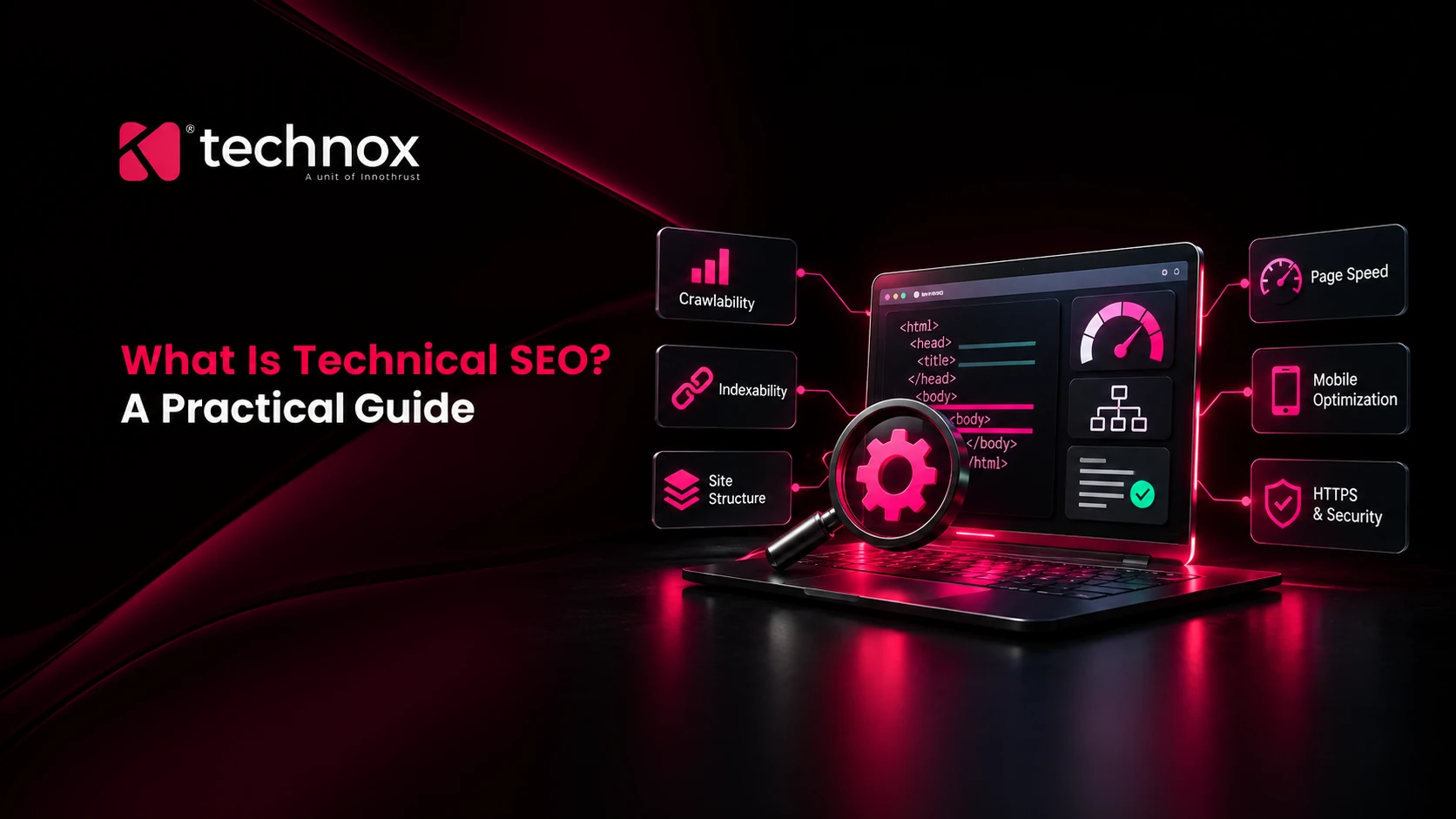
A page cannot rank until a search engine has found it, read it and stored it. Technical SEO is the work that makes those three things happen reliably, and it is the first thing to check when good content gets no traffic.
This guide covers what technical SEO includes, how its parts depend on each other, how to check your own site, which mistakes cost the most, and what changes now that AI tools read your pages too. It is written for owners and marketing leads who need to brief a developer or judge an agency.
Technical SEO Defined
Technical SEO is the practice of making a website easy for search engines to crawl, render, index and understand, so its pages can be eligible to appear in results. It is one branch of SEO as a whole, next to the content people read and the authority a site earns elsewhere.
The word “technical” misleads people. Most of the work is decisions rather than code: which URLs exist, which may enter the index, how fast a template loads on a mid-range phone, and what the server says when a page has moved. Those decisions are made while a site is built, which is why technical SEO is where SEO meets web development.
Local SEO leans on technical work more than owners expect. A location page that never gets indexed cannot support a Google Business Profile listing, however well the profile is filled in.
Why is technical SEO important?
Technical SEO matters because every other SEO effort depends on pages being accessible and indexed. Google’s own documentation says not every page makes it through each stage, and that indexing is never guaranteed. That’s why so many campaigns stall before link building even starts: the pages being promoted are missing from the index, or Google has picked a different version of them.
It reaches past rankings too. A slow product page costs sales whether it ranks or not, and a paid click landing on a page that jumps around under the thumb is still paid for. The fixes that improve Core Web Vitals usually lift conversion rate as well, which makes technical work easier to justify to a finance team than a rankings report.
What the data says
How Google actually processes your website
Google describes three stages in its guide to how Search works: crawling, indexing and serving results. Splitting it into five steps is more useful in practice, because discovery and rendering are where sites quietly fail. Google also states that it doesn’t accept payment to crawl a site more often or rank it higher.

Discovery
Google finds URLs mostly through links on pages it already knows and through sitemaps you submit. A page with no internal links and no sitemap entry is an orphan, and it may never be found. The fix is a link from a relevant, well-visited page, not a resubmission.
Crawling
Googlebot fetches the URL after checking robots.txt. Server errors, network problems and robots rules are the usual blockers. Crawlability and indexability are separate questions, and a page can be crawled without ever reaching the index.
Rendering
Google runs JavaScript with headless Chromium, and pages wait in a queue first, sometimes for seconds and sometimes longer, as its JavaScript SEO guide explains. If key text or links only exist after scripts run, indexing can be delayed or incomplete. Server-side rendering or pre-rendering lowers that risk for pages that must rank. To check, open the URL Inspection tool in Search Console and read the rendered HTML.
Indexing
Google analyses the content, decides whether the page duplicates another and which URL is canonical, then stores it. A noindex rule, a duplicate or weak content can stop that, and the cause isn’t always obvious. This walkthrough on why Google isn’t indexing your pages covers the common ones.
Ranking
Technical SEO ends here, in a sense. Ranking depends on relevance, content quality, links and how well the page fits what the searcher wants, which is search intent. A technically clean page can still lose to a better answer.
Core Elements of Technical SEO
Each item below is a place where sites lose visibility. They run roughly in the order Google meets them: access first, then understanding, then experience, then upkeep.
Crawlability
Crawlability is whether Googlebot can reach and fetch a URL. It depends on server health, DNS, robots.txt rules and internal links. Crawl budget only deserves attention on very large or fast-changing sites, as the figures above show. For a typical business site, crawlability is about removing blocks, not managing quotas.
Indexing
Indexing is Google storing a crawled page so it can appear in results. The Page indexing report in Search Console shows which URLs made it and why others didn’t. A status like “Crawled, currently not indexed” often points to thin or duplicate pages, so content depth usually fixes more than a resubmission does.
Site architecture
Site architecture is how pages are grouped and how many clicks separate each one from the homepage. A shallow, logical structure helps crawlers find priority pages and shows Google which pages belong to a topic. It matters for AI search too. Google’s AI features draw on pages in the normal index, so a topic scattered across disconnected URLs gives them less to work with. A store whose best-selling category sits behind three layers of filters is the classic case.

Mobile optimization
Mobile-first indexing means Google uses the mobile version of your content for indexing and ranking. Google’s mobile-first guidance warns that content missing from the mobile version may not be used, and that a different robots meta tag on mobile can stop pages being indexed. Keep content, structured data and robots directives identical across versions. Responsive design makes that automatic.
Robots.txt & meta robots
robots.txt controls crawling. A noindex meta tag or header controls indexing. Mixing them up is the most common error. Google says robots.txt isn’t a way to keep a page out of search: a blocked URL can still appear, without a description, if other pages link to it. Because Google has to fetch a page to read its noindex tag, blocking and noindexing the same URL cancels the noindex.
XML sitemaps & canonicals
An XML sitemap lists the URLs you want indexed, and a canonical tag names the preferred URL when several show the same content. One sitemap is limited to 50,000 URLs or 50MB uncompressed, so bigger sites use a sitemap index file. Submit it in Search Console or reference it in robots.txt. It’s a discovery aid, not a guarantee.
Canonicals are hints as well. Google can pick a different canonical than the one you declared, and URL Inspection shows both. When they differ, redirects, internal links or the sitemap are usually contradicting your tag.
Site speed & Core Web Vitals
Core Web Vitals are three field metrics Google uses to describe loading, responsiveness and visual stability. Google’s web.dev guidance sets the “good” targets, measured at the 75th percentile of real visits. INP replaced First Input Delay in March 2024. Our Core Web Vitals guide covers the fixes in detail.
Images were the LCP element on 76% of mobile pages in the Web Almanac data, so the hero image is usually the first suspect. Lazy-loading that image makes it worse, and a slow server response caps everything else, which is where hosting quality shows up. These metrics are one signal among many. They won’t rescue a page that doesn’t match the search, but they do decide whether a visitor who arrives stays.
Structured data / schema
Structured data is code, usually JSON-LD, that labels what a page is about in a form machines can read. Google recommends JSON-LD, and its structured data guidelines say the markup must match visible content and include required properties to be eligible for rich results. Valid markup still doesn’t guarantee a rich result. Eligibility isn’t entitlement. Where schema earns its place is in helping search engines tie your business, products and authors together as entities, which is the practical side of semantic SEO. Check it with the Rich Results Test.
Internal linking & architecture
Internal links are the paths crawlers follow and a strong signal of which pages you consider important. Googlebot reads URLs from the href attribute of HTML links, so a button that only works through a script doesn’t count. Link from high-traffic pages to the ones that need to rank, write descriptive anchor text, and leave no orphans. Internal linking for SEO goes further into building topic clusters.
Redirects & canonicalization
A redirect sends visitors and crawlers from one URL to another. When a URL changes, Google recommends a permanent server-side redirect wherever possible. An instant meta refresh is read as permanent, a delayed one as temporary, and JavaScript redirects are the last resort. Avoid chains (A to B to C). Choose one version of the site, meaning https, one hostname and one trailing-slash rule, and 301 everything else to it.
HTTPS & security
HTTPS encrypts the connection between your site and the visitor. Google called it a lightweight ranking signal at launch, and today it works more as a baseline for trust, especially on forms and checkouts. Don’t block your HTTPS site in robots.txt, fix mixed content, and keep the CMS, plugins and server software patched. A compromised site loses visitors and visibility at the same time.
Fixing broken links & 404s
A real 404 for a deleted page is normal. The damage comes from internal links pointing at dead URLs, and from soft 404s, pages that say “not found” but return a 200 status. Google says soft 404s keep getting crawled and waste crawl budget. Update the links, redirect only when a close replacement exists, and otherwise let the page return a 404 or 410.
International SEO & Hreflang
hreflang tells Google which language or regional version of a page to show. Under Google’s localized versions guide, each version must list itself and every other version, with an x-default for visitors who match none. Translated pages aren’t treated as duplicates, but untranslated ones are. It only matters if you run more than one language or region, say an English and Tamil version of the same service pages.
Monitoring & technical maintenance
Technical SEO decays. A redesign, a plugin update or a new filter can bring old problems back. Check Search Console weekly for indexing and Core Web Vitals, run a full crawl with a tool such as Screaming Frog, Ahrefs or Semrush after every release, and watch organic landing pages and conversions in GA4. Catching a stray noindex in a day is cheaper than finding it in a quarter.
How to Check Your Own Site for Technical SEO Problems
A first read takes an afternoon and costs nothing.
Open the Page indexing report in Google Search Console. Compare indexed and not indexed pages and read the stated reasons. “Discovered” and “Crawled, currently not indexed” deserve a closer look.
Inspect your five most valuable URLs with the URL Inspection tool and view the rendered HTML. If the main copy or links are missing, you have a rendering problem.
Open /robots.txt and your XML sitemap. The file should return 200, and the sitemap should list only canonical, indexable pages.
Run a crawl with Screaming Frog, Ahrefs Site Audit or Semrush Site Audit. Look for 4xx and 5xx errors, redirect chains, canonicals pointing elsewhere, and noindex on pages that should rank.
Check Core Web Vitals in Search Console and PageSpeed Insights, one URL per template. Field data counts for more than a lab score.
Test structured data with Google’s Rich Results Test, and compare mobile and desktop versions of one key page side by side.
Common technical SEO issues (and how to fix them properly)
Fixes that treat the symptom usually create the next problem. This is what each issue looks like and what a proper repair involves.
The order of repair matters. Access problems come first (blocks, noindex, server errors), then duplication, then speed. Tuning Core Web Vitals on pages Google can’t index is effort spent in the wrong place. A pattern that repeats after redesigns is traffic dropping a few weeks later because a noindex from the staging template went live with everything else.
Additional Technical SEO Best Practices
Technical SEO and AI search
For Google’s AI Overviews and AI Mode, the technical requirement is the same as for ordinary results: the page must be indexed and eligible to show with a snippet. Google’s AI features guide says there are no additional technical requirements, so an indexability audit doubles as an AI visibility audit. Other AI search tools run their own crawlers. Decide deliberately what your robots.txt allows, because blocking a bot is a business decision with a visibility cost, not a default setting.
Cost, timing and tools
Cost depends on site size, platform and how much developer time the fixes need, so ask for audits scoped by page count and templates rather than a flat rate. Google says new pages take several days at minimum to be noticed, so judge indexing fixes in weeks, and expect speed gains to show gradually as real-user data builds up. The usual toolkit is Search Console, PageSpeed Insights, a site crawler and the Rich Results Test. If you’d rather hand it over, Technox’s SEO services in Coimbatore include technical audits and developer briefs.
KPIs worth tracking
Indexed pages against pages submitted in your sitemap
Core Web Vitals pass rate by template, using field data
Server errors and soft 404s in Search Console
Organic landing page sessions and conversions in GA4
How long new pages take to appear in the index
Trends to prepare for
INP is still being refined, and the mobile gap is real. Many sites pass on desktop and fail on phones. JavaScript-heavy builds keep raising rendering risk. Platform defaults are doing more of the work too, since WordPress now ships speculative loading out of the box. And AI crawlers mean robots.txt is no longer only a Google decision.
Frequently Asked Questions
What is technical SEO in simple terms?
It’s the set of fixes that make sure search engines can find, read and store your pages, and that visitors get a fast, secure experience once they arrive.
How is technical SEO different from on-page SEO?
Technical SEO asks whether a page can be accessed and indexed. On-page SEO asks whether its content deserves to rank. Both are needed, but access comes first.
Does technical SEO matter for a small business website?
Yes, though the priorities differ. A small site rarely has crawl budget problems. It does commonly have indexing, mobile and speed problems.
How much does a technical SEO audit cost?
It depends on page count, platform and how deep the audit goes. Ask for a scoped quote based on templates and URLs, and separate audit cost from developer time for fixes.
How long does technical SEO take to work?
Google says new pages take several days at minimum to be noticed, so indexing fixes show in weeks. Core Web Vitals improvements appear gradually as real-user data accumulates.
Which tools do I need?
Google Search Console and PageSpeed Insights are free and essential. A crawler such as Screaming Frog, Ahrefs or Semrush adds the site-wide view.
What KPIs show that technical SEO is working?
Indexed pages versus submitted pages, Core Web Vitals pass rates by template, fewer crawl and server errors, and growth in organic landing page sessions and conversions.
Do Core Web Vitals decide rankings?
They count, but they’re one signal among many. They won’t lift a page that doesn’t match the search, and they do affect whether visitors stay.
Does technical SEO help with AI Overviews and AI Mode?
Yes, indirectly. Google says a page must be indexed and eligible to show with a snippet, and it lists no additional technical requirements.